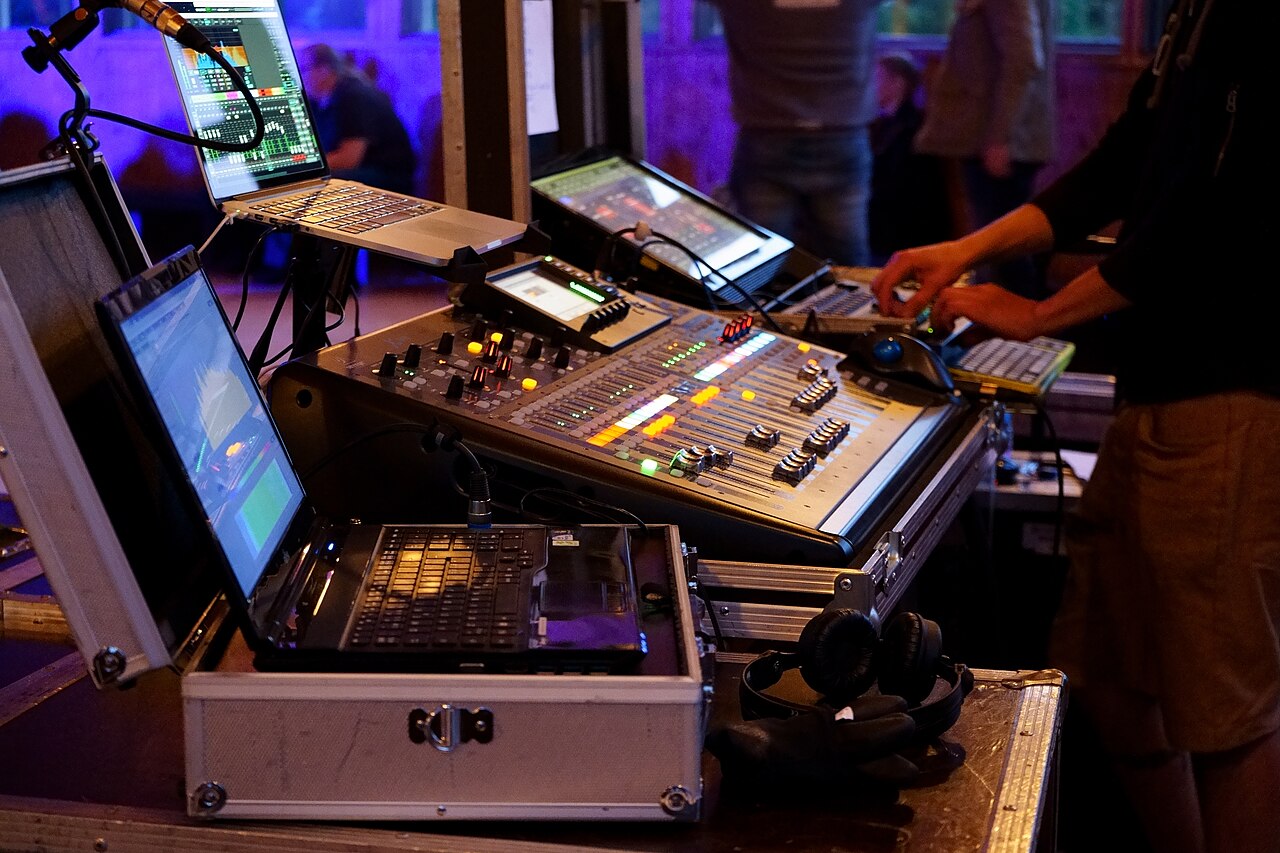
Why the handover decides who really runs your room
A venue AV upgrade can sound great on opening night and still leave the owner stuck. If the only person who can log into the DSP, reboot the network switch or reload a preset works for the integrator, every routine problem becomes a service call. That dependency rarely comes from bad intent. More often, nobody wrote down what the venue would receive at handover.
An AV commissioning handover checklist fixes that by turning vague expectations into deliverables you can verify. Owners are clearly looking for a repeatable way to do this. In one community thread, which we saw only as a search excerpt, an owner asked how to confirm an integrator had finished the job and how to record IP addresses, serial numbers, credentials and test results [R1]. Those categories are a useful start, and the sections below build on them.
Define intended operation before you sign
Before you buy a permanent installation or extend a retained system, describe who will operate it and what they must do without help. A house engineer mixing nightly needs different access than a manager who only powers the system on and plays walk-in music. List the daily tasks, the occasional ones such as touring engineers patching in a console, and the maintenance tasks you expect staff to handle.
This operating profile shapes everything that follows. It tells the integrator which controls must be unlocked, which settings should be protected from accidental changes, and how detailed the training and documentation must be. It also gives you a fair basis for later disputes. A contractor can reasonably refuse to deliver something nobody asked for, but it is much harder to argue against a written requirement.
- Name the roles: owner, house engineer, visiting engineer, manager, IT support.
- For each role, list the tasks it must perform without calling the installer.
- Note which settings should stay locked to protect the approved tuning.
Sound system commissioning acceptance: tests tied to agreed behavior
Acceptance should be judged against criteria agreed in advance, not against a walkthrough where everything seems fine. AVIXA publishes a performance verification framework that helps parties agree on verification criteria, timing and reporting [S1]. It is a voluntary industry standard, not a government permit or a universal legal requirement [S1]. Its value is that it gives you shared terms for what gets tested, when, and how results are reported.
Ask that the commissioning report connect each test to a specific behavior you agreed on, such as coverage in defined listening zones, correct routing from each input, or presets recalling as intended. Defects found during testing should appear on a separate open-items list with an owner and a target date. If problems are folded into a general summary, they tend to disappear once the final invoice is paid.
- Agree test criteria and timing in writing before installation starts.
- Require a report showing the result of each test, not just a sign-off.
- Keep unresolved defects on a separate dated list until they are closed.
Venue AV as-built documentation and recovery files
Design drawings show intent. As-built drawings show what was actually installed, including field changes. Specify that you will receive as-built drawings, cable and device labels that match those drawings, and a device inventory with model, serial number, location, network address and installed firmware or software version. The fields mentioned in the community thread, such as IP addresses and serial numbers, belong here [R1].
Documentation should also cover recovery. Ask for configuration backups of every programmable device, written instructions for restoring them, and a list of the software tools and versions needed to open those files. Confirm the exact version requirements with each manufacturer, because a backup you cannot open on your own equipment protects very little. Store copies in a location the venue controls, not only on the integrator's laptop or cloud account.
Audio DSP passwords and contractor access: settle ownership early
Credentials cause many of the most bitter handover disputes. In an opened community discussion, integrators and clients argued over access to DSP files and passwords, with the debate centering on where operational access ends and intellectual property begins [R2]. These are individual views, not a consensus or a legal ruling. They do show why this topic should be settled in the contract before commissioning, not argued over afterward.
Decide which accounts the venue will own, which administrative levels it will hold, and whether the integrator keeps a separate service account. Agree on a secure transfer method, such as handing credentials directly to a named venue representative or using a password manager the venue controls. Never place passwords in drawings, rack labels or manuals that touring crews and visitors might see. After handover, change any shared or default credentials, and work out the process with your IT staff.
- Create venue-owned accounts rather than relying on the installer's logins.
- Record who holds administrator access and how it gets revoked.
- Keep credentials out of public-facing documentation and rack labels.
Separate source code, vendor IP and your operational configuration
Not every file an integrator creates is automatically yours. Some control programmers reuse code modules across many clients, and manufacturers license their own software under their own terms. Community opinion in the password thread does not establish who legally owns code or whether a client can demand every source file [R2]. That depends on your contract and applicable law, so a contract attorney is the right person to review the language.
A practical approach is to distinguish three categories in the agreement. The first is licensed source code, along with what you may do with it. The second is the integrator's reusable intellectual property, which may be withheld or licensed for your use. The third is your venue's operational configuration: routing, presets, tuning and user settings created specifically for your system. Many owners focus on securing the third category, because it is what they need to keep operating if the relationship ends.
Test a real staff handover, with a hypothetical worked example
Training is not the same as proof. Before final acceptance, have your own staff use only the delivered documents to start the system, select sources, recover from an expected fault and contact support. The integrator can observe but should not touch anything. Every point where staff get stuck shows a gap in the documentation or access.
Hypothetical example: a 900-capacity club installs a new PA, a networked DSP and a control panel. During the drill, the house engineer powers up the system successfully and selects the walk-in playback source. The planned fault is a simulated loss of the DSP connection, and recovery stalls because the restore instructions call for a software version that exists only on the programmer's laptop. The venue logs this as an open item, holds back the portion of payment tied to documentation as the contract allows, and repeats the drill once the correct software details and backup files arrive.
Warranty boundaries, red flags and how to verify
Define in writing what happens when the venue changes something later. Which adjustments, such as EQ on a user preset, leave the warranty intact? Which changes, such as reprogramming the control system, shift responsibility to you? Ask for this boundary explicitly rather than assuming it. Then prove that staff can restore the approved setup from the delivered backups without undocumented tools or accounts.
Watch for warning signs during handover. These include a commissioning report with no measurable results, backups promised but never delivered, credentials that only work through the installer's remote account, and documentation listing devices that do not match the rack labels. Verify every item by comparing it against the equipment yourself. Confirm firmware versions on the devices, check that backup files open, and log in with venue-owned credentials while the installer is not present.
- Red flag: open defects marked complete without retesting.
- Red flag: required software or licenses registered only to the integrator.
- Verify: serial numbers and addresses in the inventory match the actual hardware.
When escalation makes sense
Start with a written list of missing deliverables tied to specific contract clauses, and give the integrator a reasonable chance to cure them. Many gaps are oversights, not obstruction. If the contractor refuses to provide configuration files or credentials you believe the agreement covers, or keeps leaving defects unresolved, consult a contract attorney before withholding payment or taking further action.
Keep safety issues separate from documentation disputes. If commissioning uncovers concerns about electrical work, rigging or structural mounting, do not investigate them yourself. Bring in an appropriately licensed professional and ask your local authority having jurisdiction about inspection requirements. Those requirements come from your city or state, not from AVIXA's voluntary framework [S1], and none of the sources in this guide describe federal or local law.
Your next steps
- Write a role-based operating profile before requesting bids.
- Agree on acceptance test criteria, timing and report format in the contract.
- Require a separate, dated list of unresolved defects with assigned owners.
- Specify as-built drawings, matching labels and a full device inventory with versions.
- Collect configuration backups, restore instructions and the software needed to open them.
- Create venue-owned accounts and transfer credentials through a secure, private method.
- Define in writing your rights to operational configuration, licensed code and vendor IP.
- Run an unassisted staff drill covering startup, source selection, fault recovery and restore.
- Confirm in writing which later changes affect warranty and support coverage.
Questions that come up next
Is my installer legally required to give me DSP passwords?
The sources here cannot answer that. Community discussions show that integrators and clients disagree about access to DSP files and passwords, but those opinions are not law. Your rights depend mainly on your contract and applicable law. Have a contract attorney review the agreement, and settle credential ownership in writing before commissioning begins.
Is AVIXA performance verification mandatory for venues?
No. AVIXA describes it as a voluntary industry framework for agreeing on verification criteria, timing and reporting. It is not a government permit or a universal legal requirement. Building, electrical and rigging inspections are a separate matter, so check those requirements with your city or state authority having jurisdiction.
Can staff adjust settings after handover without voiding support?
That depends entirely on your written warranty and support terms, so do not assume either way. Ask the integrator to specify which adjustments are allowed, such as user preset EQ, and which shift responsibility to the venue. Keep approved backups so you can restore the commissioned state if a change causes problems.
Sources & further reading
Community discussions identify lived problems; they do not establish technical or legal requirements. Primary references support the specific claims cited above.
- R1 / COMMUNITY DISCUSSIONCheck out forms ↗
- R2 / COMMUNITY DISCUSSIONPassword Protecting your work ↗
- S1 / PRIMARY REFERENCEAVIXA: Audiovisual Systems Performance Verification ↗