The real problem: two learning curves at once
When weighing a MIDI controller vs keyboard for beginners, most people compare price and key count. A more useful comparison is how much you must learn before you hear a note. A standalone keyboard asks you to learn music. A controller asks you to learn music and also how a separate sound source and audio output fit together.
In a short Reddit thread excerpt, a first-time musician described buying a small controller and then finding that music and software had to be learned at the same time [R1]. This is one person's anecdote, not evidence of how often it happens, but it is a fair warning about what a controller can expect from a newcomer.
Controller data versus built-in sounds
The MIDI Association explains that MIDI carries performance instructions rather than recorded audio, and that playback requires a device or software instrument that generates the sound [S1]. A MIDI keyboard with no built-in sounds is therefore an input device. It tells something else what to play.
A standalone keyboard combines keys, a sound engine and usually speakers or a headphone jack in one box. Many standalone keyboards can also send MIDI, so the categories overlap. When reading a listing, ask one question first: does this instrument make sound by itself? That answer settles more of the decision than any feature list.
- Controller: keys and controls that send data; sound comes from a computer, tablet or compatible hardware module
- Standalone keyboard: keys plus an onboard sound engine and an audio output
- Hybrid: built-in sounds plus MIDI output; confirm both in the manufacturer's specifications
Draw the minimum chain from key to ear
Before buying a controller, sketch the full chain on paper. If any link is missing, you get silence. The sound source can be a computer or tablet running software, or a hardware synthesizer or sound module that accepts MIDI over a connection the controller actually offers, such as USB or a MIDI port. Check that the two devices share a compatible connection before assuming they will work together.
On the computer side, a full DAW, the recording and arranging software many producers use, is not always required. A standalone software instrument that simply plays sounds when it receives MIDI can be enough for practice and may be easier to start with. A standalone keyboard has the shortest chain of all: power, the instrument, and its speakers or headphones. The controller's longer chain pays off mainly if you want the production work or the external sound sources it opens up.
- Computer chain: controller, cable, computer or tablet, software instrument, audio output, headphones or speakers
- Hardware chain: controller, compatible MIDI connection, sound module or synth, headphones or speakers
- Standalone chain: power, keyboard, built-in speakers or headphones
Full-size, mini keys and weighting
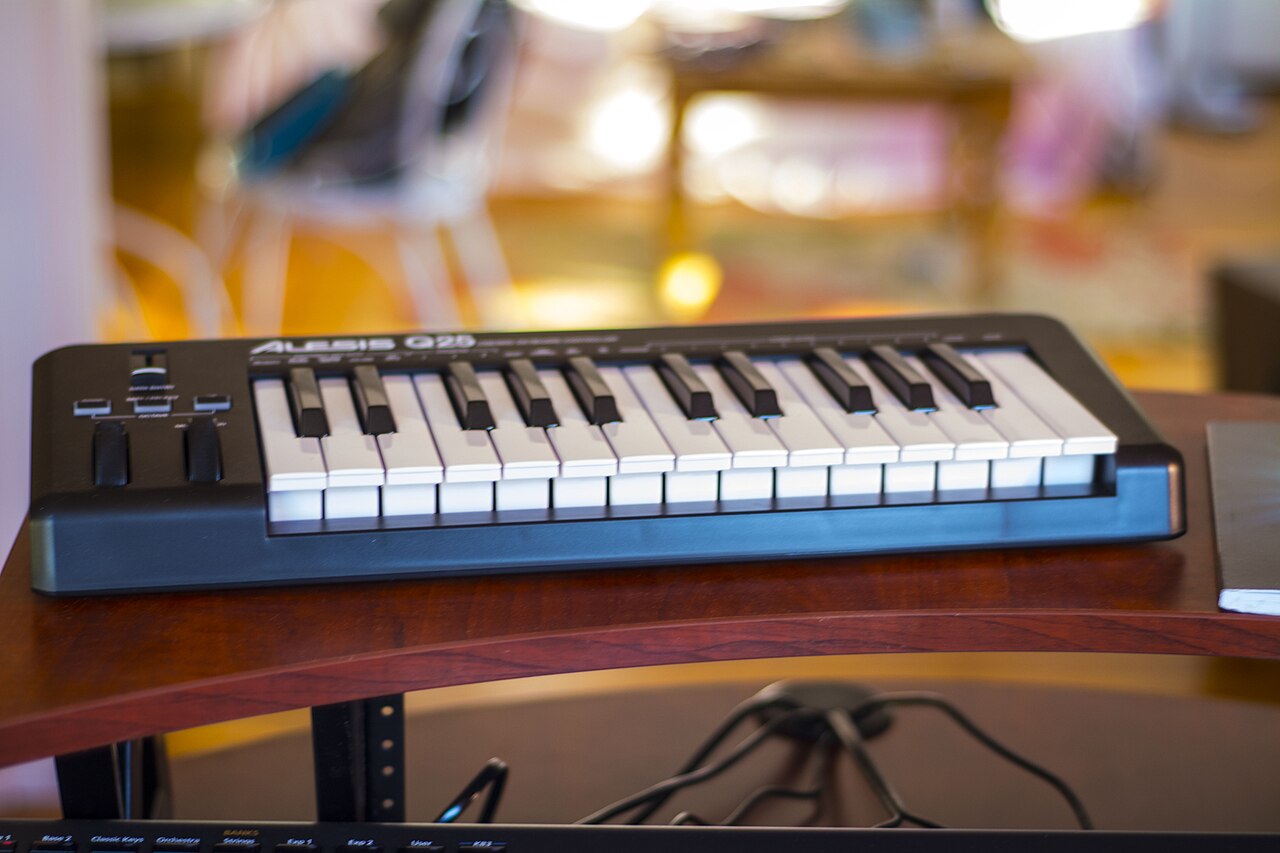
Mini-key controllers are compact and portable, which helps for sketching beats and bass lines at a small desk. Their smaller keys feel different from a piano, so in our view technique practiced on them may not transfer cleanly. If piano lessons are part of the plan, key size matters more than the number of pads or knobs.
Yamaha distinguishes semi-weighted keys, hammer action and graded weighting, and links the choice to whether piano playing is the goal [S2]. Our practical reading: someone aiming at piano should try weighted actions in person, while someone triggering drums and synth parts may be content with lighter keys. Confirm each model's action type in the manufacturer's own specifications rather than a retailer summary.
Check software registration and OS support
Controllers are often sold with bundled software, and bundles change. Check the manufacturer's current page for what is included, whether an account or registration is needed to unlock it, and whether any license is limited or time-restricted. Do not assume a bundle mentioned in an older review is still offered.
Confirm compatibility with your exact operating system version and device type, including tablets. Look for driver requirements and notes about recent OS updates. If documentation is unclear, ask the manufacturer's support team before purchase and keep the written reply. A first-time buyer should not have to troubleshoot drivers just to hear a piano sound.
Budget for monitoring and a stable stand
Listings rarely include everything you need. A controller may need headphones or powered speakers, and some setups also need an audio interface or a separate sound module. A standalone keyboard may have speakers, but headphones still make quiet practice possible. Price the whole setup, not just the instrument.
A stable stand and a chair at the right height affect how often you practice; a wobbling keyboard on a bed discourages short sessions. Use the power adapter the manufacturer specifies. If a socket, extension cord or adapter looks damaged or gets hot, stop using it and consult the manufacturer or a qualified electrician rather than improvising.
Choose a setup you can play within minutes
A rule of thumb we suggest: from sitting down to hearing sound should take about two minutes. A standalone keyboard usually passes easily. A controller can pass too, if the sound source starts reliably, the correct input is selected and audio already reaches your headphones.
If you choose a controller, save a template or default so the same instrument loads every time, and leave everything connected where it lives. Low setup friction supports short, frequent practice, which matters as much as the instrument itself.
Hypothetical worked example
Hypothetical: Dana, an adult beginner, wants to learn chords, follow online piano lessons and maybe make simple songs later. Dana has an older laptop, no headphones and a small apartment. A 25-key mini controller is the cheapest option, but it needs a sound source, software setup and headphones, and its keys would not match the lessons' technique.
Following the steps above, Dana prioritizes a standalone keyboard with full-size keys, tries a weighted action in a store, and confirms a headphone output and MIDI connectivity for later. Dana budgets for headphones and a stand. Production can come later by connecting the same keyboard to software, avoiding a second learning curve on day one.
Red flags and how to verify
Watch for listings that say a controller comes with sounds when those sounds are actually downloadable software requiring registration. Be wary of used-gear sellers promising transferable software licenses; many licenses are tied to accounts, so confirm the transfer policy with the software maker before paying.
Verify claims against the manufacturer's product page and manual. Be cautious about prices far below normal from unfamiliar sellers, requests to pay outside a marketplace's protected checkout, and photos that do not show the actual unit. For a used instrument, ask for a short video showing every key producing sound and the serial number.
- Confirm whether sounds are built in or software-dependent
- Check license transfer rules with the software publisher
- Use protected payment methods and request proof of a working unit
When escalation makes sense
If a new controller stays silent after you have checked cables, input selection and audio output, contact the manufacturer's support before the retailer's return window closes, and note that deadline on purchase day. If a bundled license will not register, the software publisher's support is usually the right contact.
If you are unsure which key action suits your goals, a keyboard teacher can offer guidance. If a power supply fails, buzzes or overheats, stop using it and let the manufacturer or an authorized service center handle it; do not open or modify it. For seller disputes, use the marketplace or payment provider's resolution process.
Your next steps
- Write down whether your first goal is playing, piano study or production
- Sketch the full chain from key to ear and mark any missing link
- Confirm on the manufacturer's page whether the instrument makes sound by itself
- If using a hardware sound module, confirm both devices share a compatible MIDI connection
- Try full-size and weighted keys in person if piano is the goal
- Check current software bundle contents, registration steps and your exact OS version
- Budget for headphones or speakers, a stable stand and a suitable seat
- Record the return deadline and keep written support replies
Questions that come up next
Can I learn music theory on a MIDI controller?
Yes, but you also need a working sound source and audio output before practice can start. MIDI sends instructions rather than audio, so a device or software instrument must generate the sound [S1]. If that setup feels like a barrier, a standalone keyboard lets you focus on scales and chords without managing extra equipment first.
Do I need a full DAW to use a MIDI keyboard with no built-in sounds?
Not always. A standalone software instrument that plays sounds when it receives MIDI can be enough for practice, and a compatible hardware sound module is another option. Before relying on software, check that it supports your operating system and can open with your preferred sound loaded. A DAW becomes useful once you want to record and arrange.
Are mini keys bad for a first keyboard for music production?
Not necessarily. Mini keys suit compact desks and beat sketching. They are a weaker fit if you plan to study piano, because Yamaha ties the choice of key action to whether piano playing is the goal [S2], and smaller keys feel different under the hand. Match the keys to your main goal and try instruments in person.
Sources & further reading
Community discussions identify lived problems; they do not establish technical or legal requirements. Primary references support the specific claims cited above.
- R1 / COMMUNITY DISCUSSIONIs a midi keyboard good for a first instrument/learning music theory? ↗
- S1 / PRIMARY REFERENCEMIDI Association: About MIDI, Overview ↗
- S2 / PRIMARY REFERENCEYamaha: A Quick Guide to Weighted Keys ↗